 Penguin Empire · Team 2551
From zero code to driving a robot.
The exact path every new Penguin Empire programmer takes — from your first line of Java to code running on the competition robot.
[WPILib] IntakeSubsystem registered.
[REV] CANSparkMax ID 9 — ready.
Robot enabled — Teleop.
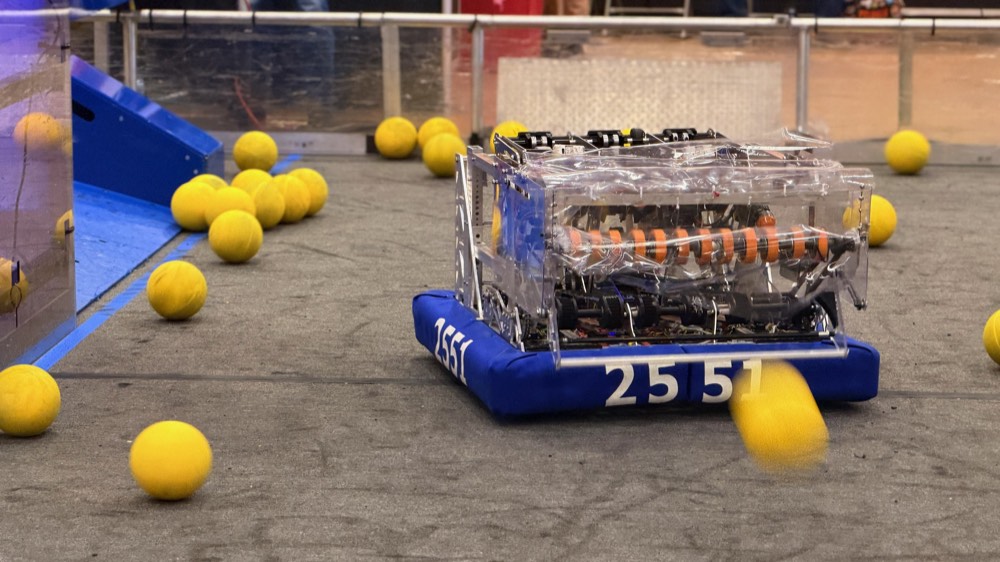
Two phases. Both required. One working robot.
You can't skip either phase — Phase 1 teaches you the language, Phase 2 puts it on the robot. Complete them in order and you'll have everything you need to program a real FRC robot from scratch.
Java & Object-Oriented Programming
Variables, loops, methods, arrays, and the big one — classes & objects. Every concept runs live in your browser. Capped by the Alice's Kitchen project.
Begin Phase 1 → 2551 Phase 2 · The RobotFRC Robot Programming
Motors, encoders, PID, command-based structure, swerve drive, Limelight vision, and PathPlanner autonomous — built on real Team 2551 hardware.
Preview Phase 2 →Built to be done, not just read.
Every lesson follows the same rhythm — read a little, then do something — so a concept sticks before the next one builds on it.
Write real Java. Run it on the page.
Every Phase 1 lesson has a compiler built right in. Type real Java, hit Run, and watch it execute — no installs, no setup. You see your code work long before you ever touch a robot.
- Runs a real JDK, right in the browser
- Edit the example and re-run it instantly
- The same language the robot is programmed in
Penguin Empire 2551
Don't just read it — prove you've got it.
Fill-in-the-blank code, predict-the-output puzzles, and quick checkpoints with instant feedback. Each one has to click before the lesson moves on, so nothing gets quietly skipped.
- Fill-in-the-blank & predict-the-output
- Instant right/wrong feedback with hints
- Reveal the worked solution when you're ready
Complete the line so it prints a greeting to the console:
System.out._______("Hello, 2551!");println prints a line, then moves to the next.Build the actual robot, one subsystem at a time.
Each unit ends with a buildable project tied to a real mechanism — an intake, a flywheel, an arm, the drivetrain. The code you write maps directly to hardware that goes on the field, with the team's war stories and pitfalls baked in.
- Verified against WPILib, REV, CTRE & Limelight docs
- Real Team 2551 CAN IDs and wiring
- "The fried motor" war stories so you don't repeat them
- Create the
IntakeSubsystemclass - Wire the roller motor (CAN ID 21)
- Add
runIntake()/stop() - Bind it to the operator's right trigger
Plus everything you'd expect from a real course
War stories & pitfalls
The fried motor. The two-day voltage bug. We keep the team's hard-won lessons so you don't repeat them.
Verified WPILib syntax
Code samples are checked against the official WPILib, REV, CTRE and Limelight docs — not someone's memory.
Saved progress
Check off lessons as you finish. The site remembers where you are so you can pick up next meeting.
How a Penguin programmer is made
The order matters. You can't build autonomous until the mechanics and vision work — so we teach in the right sequence.
Learn to think in code
Java fundamentals — variables, logic, loops, and methods — all runnable in your browser.
Learn to think in objects
Classes, objects, encapsulation, and inheritance: the model the entire WPILib library is built on.
Meet the robot
RoboRIO, CAN bus, motors, the toolchain, and the project anatomy that everything hangs on.
Make it move & sense
Spin a motor, read an encoder, and tame it with PID closed-loop control.
Structure real behavior
Commands, subsystems, button bindings, swerve driving, and Limelight vision.
Run it yourself
PathPlanner autonomous and a game-day playbook. Now you can program the robot.
Frequently asked questions
New to the team or new to code? Start here.
Do I need any coding experience?
Do I have to install anything to start?
How long does it take?
Do I need a robot to learn?
What will I be able to do when I finish?
Is this only for Team 2551 members?
Ready? It starts with one line of code.
No setup, no installs, no experience. Open Lesson 1 and make the computer say hello.
Start learning now →